product demo · motion · self-taught

How do you make a demo video with no animation experience?

I'd never animated anything before. But being in a small-ish consulting company as 1 of 2 designers, I wore numerous hats. My workplace wanted to explore making a short demo video of one of our products and asked if I could make it. So of course, I said yes!

Now the video is used in email campaigns and on our socials, website and LinkedIn.

Credits
Role
Almost everything: planning, design, animation, edit and voiceover
Tools
Figma · After Effects · Premiere Pro · Claude
Starting point
Zero animation experience
Brief
A short brief from my director and an AI-generated script
Key Outcome
Now used on YouTube, LinkedIn, our website and email campaigns
In short

My director asked for a product demo video. I'd never animated anything, so I treated it as a chance to learn fast.

The brief was to create a short 90 second video, showcasing a custom product we built for a client. The idea was to reuse elements of the custom app for more clients, and to gauge interest market interest.

I was handed was a short brief and an AI-generated script that hadn't had much of a human read-through. Nonetheless, I said "sure let's do it!"
01

Googled "How do I make an animation"

After some research, I first opened Adobe After Effects and started animating. Three hours later, I had one ball bouncing from left to right. That was enough to tell me that learning After Effects from scratch, frame by frame, would take far too long.

I needed to start from a tool I already knew.

02

Returned to my true love, Figma <3

So I went back to the drawing board. I watched many SaaS demo videos to work out which style suited Waveflow, and I sketched rough scenes on paper. I decided to plan out the whole storyboard on Figma.

I did some wizarding and simulated 'animation' using Figma's prototyping features, with screens growing, shrinking and fading in and out, to create the first draft. My plan was to create the silhouette and idea of the video, to present quickly and have directors approve the direction. This saved me from painstakingly trying to learn After Effects only to receive feedback that wouldinevitably change direction, so I utilised Figma first.

Zooming out from one frame to my full Figma work board.
03

YouTube tutorials, Claude, and a lot of trying

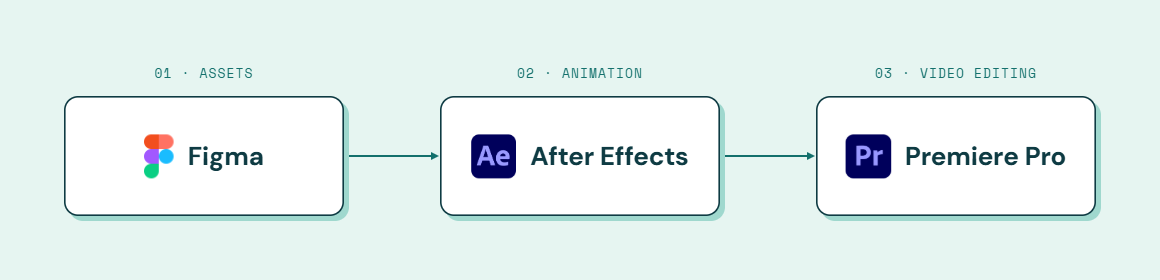
Once the direction was signed off, I built the real thing from a mix of tools. I googled around for the best flow, and most places said that you build assets separately. Some advised to create the assets Illustrator or Photoshop, but I wasn't about to learn 2 new programs. So I created most assets in Figma, and exported them as PNG or SVG, before animating in After Effects and editing in Premiere Pro.

YouTube tutorials got me through most of it. When I got stuck on some trickier transitions, I worked through them with Claude.

04
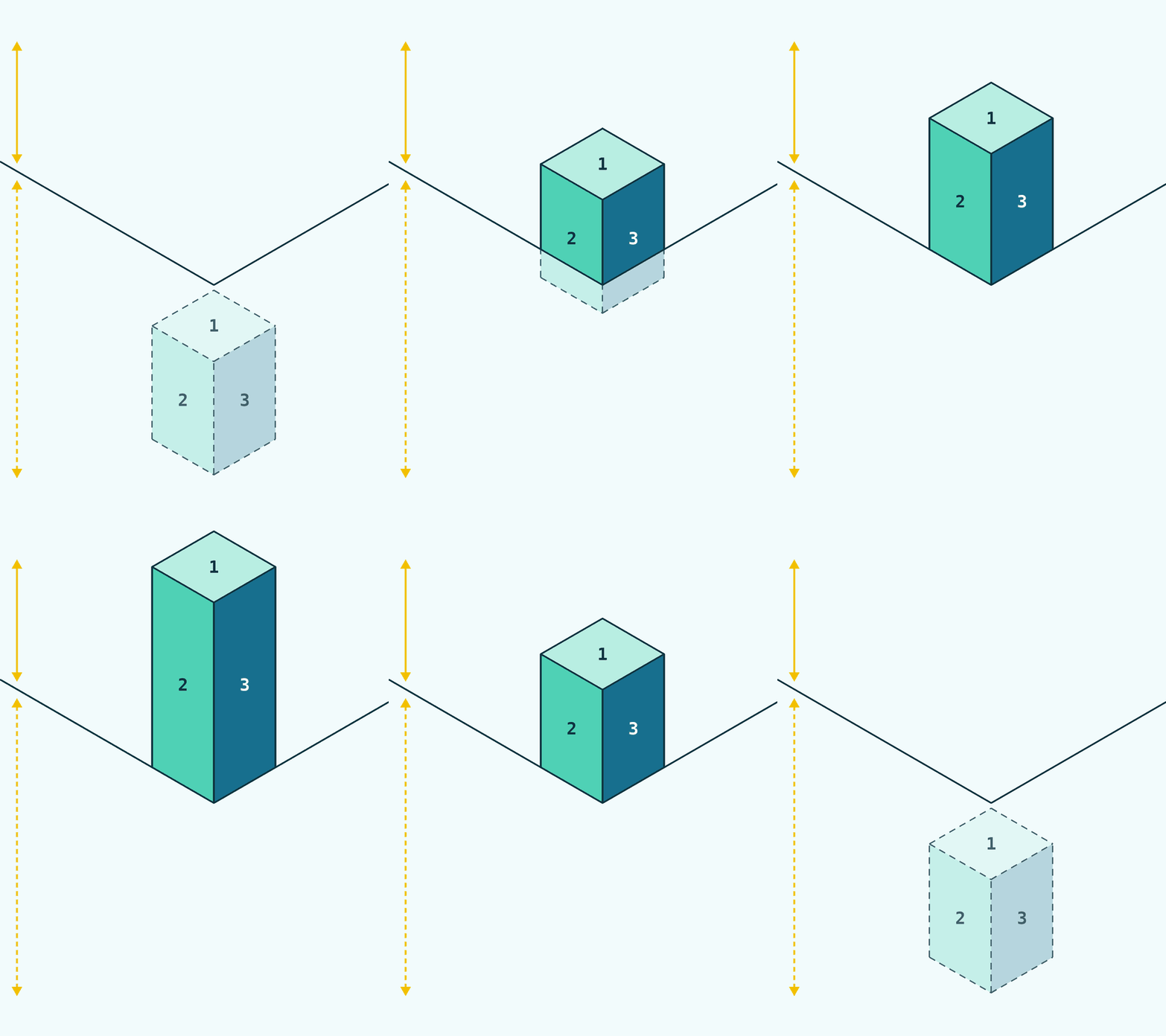
Animation: a square-topped prism with faces numbered 1 to 3 rises from behind a floor line, then grows tall. Arrows mark the area above the line as visible and below it as hidden, where the prism shows as dashed panes.
Visible
Hidden from view
Scalability & growth scene

The growth cube is just three parallelograms

It looks like 3D, but it's really three parallelograms that change shape and grow together, rising from behind a line that masks everything below it. It's a small thing, but it sums up how I approached the whole project (and honestly most things in life). I love finding 'hacks' that work, adapting with the skills I had.

05

Surprise! I am now also a voice-actress

I initally recorded the voiceover myself as a placeholder, with the idea that perhaps we would hire a paid voice actor. To my surprise, I presented the video, the team liked it as it was, voiceover included.

Looking back, this was one of the most fun things I’ve made at work, and this case study is really a reflection on what I do when I’m handed something I’ve never done before. I mapped out the whole video first, got the direction agreed, and only then learned the specific techniques each scene needed. I relied on what I already knew well, learnt just enough of the new tools to get the job done, and got feedback early.

It's now used on YouTube, LinkedIn and our website, and in email campaigns.